
0%

Choosing a Bluetooth Calling Smartwatch is no longer about counting steps alone. It is about voice clarity, battery endurance, comfort, compatibility, and trustworthy data handling.

The Bluetooth Special Interest Group’s Bluetooth Market Update 2024 estimates that 5.4 billion Bluetooth devices shipped in 2023. It forecasts annual shipments will approach 7.0 billion by 2028. IDC also reported strong growth across wearable devices in 2024, showing how quickly smartwatches are entering daily routines. A watch on a crowded train must separate your voice from surrounding noise. A watch used during a long workday must survive more than a few calls.

Jitesh Ubrani, research manager at IDC, has said, “Smartwatches are becoming more capable and more independent.” That observation matters when comparing calling models. Look for Bluetooth version details, microphone placement, speaker loudness, phone compatibility, and real battery claims. Manufacturer estimates often assume limited usage. Reality is less tidy. Frequent calls, GPS, and bright displays can drain power before dinner. I have also found that a smooth calling demo does not guarantee comfort after eight hours. This guide examines practical specifications, independent testing, privacy considerations, and everyday usability. It will not treat every premium feature as necessary. Sometimes, a simpler watch with a reliable microphone is the wiser choice.
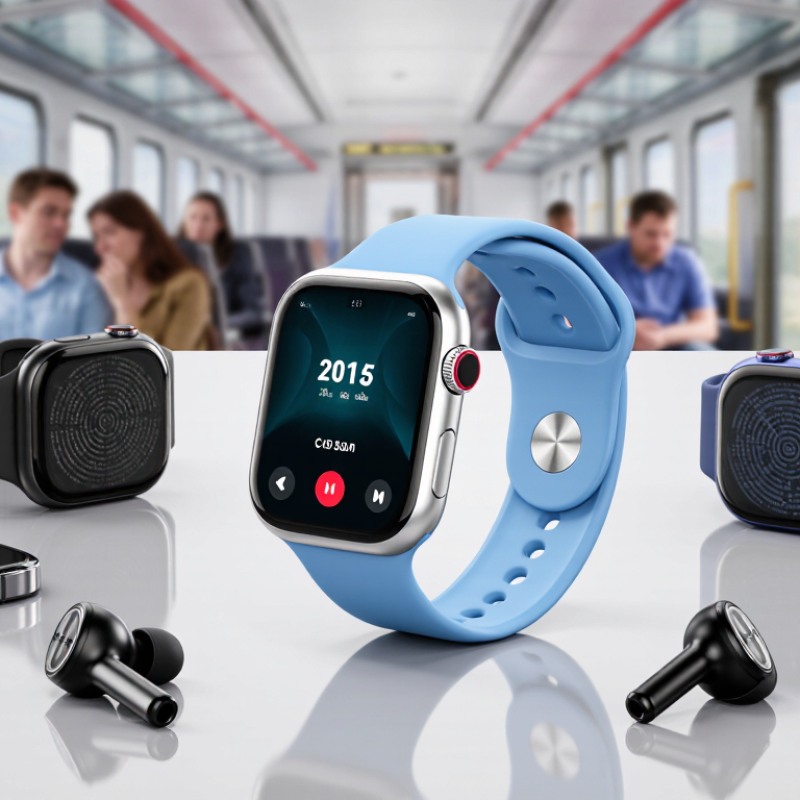
How to Choose a Bluetooth Calling Smartwatch?

Define Calling Needs with Bluetooth SIG Profiles and Phone OS Compatibility

For phone-linked calling, check whether the watch supports the Bluetooth Hands-Free Profile (HFP). It carries call audio and enables basic controls, such as answering or ending a call. A microphone and speaker matter just as much; a supported profile cannot make muffled audio pleasant. Listen in a quiet room, then test beside a busy street. Small details count.

Contact access may involve the Phone Book Access Profile (PBAP), but it is separate from call audio. Some watches can place calls without showing saved contacts, while others need permission through a companion app. Bluetooth SIG profiles describe standard functions, yet device makers may implement them differently. A spec sheet can leave gaps. That part is easy to miss.

Check the watch’s stated compatibility with your phone’s operating system and version, then confirm the companion app is available and supported. Review permissions for calls, contacts, and notifications; these can affect what appears on the watch. Before buying, test incoming and outgoing calls if possible, and check whether the phone must stay nearby. Bluetooth range varies with walls, pockets, and interference. Compatibility claims are useful, but a real call test is better.

How to Choose a Bluetooth Calling Smartwatch? - Define Calling Needs with Bluetooth SIG Profiles and Phone OS Compatibility

Calling Need Relevant Bluetooth Profile or Feature What It Enables Phone and Watch Compatibility Checks Practical Selection Guidance
Answer and make calls using the watch Bluetooth Classic Hands-Free Profile (HFP) Call control and two-way voice audio when the watch works as a hands-free device and the phone supports the matching connection. Confirm HFP support on both devices. Check that the phone’s Bluetooth settings show the watch as available for calls, not only for notifications or media. For conventional Bluetooth calling through a nearby phone, make HFP support a primary requirement.
Use the watch microphone and speaker during a call HFP voice connection Routes call audio to the watch’s microphone and speaker. Call quality also depends on microphone placement, speaker output, noise handling, and the Bluetooth link. Check that the watch supports both incoming and outgoing call audio. Test call routing, volume, and microphone clarity with the intended phone and in typical surroundings. Do not assume that a watch with a built-in speaker can handle phone calls; verify hands-free calling specifically.
Listen to music or other media Advanced Audio Distribution Profile (A2DP) Streams stereo media audio. A2DP alone does not provide the two-way voice path needed for hands-free phone calls. Check whether the watch supports media playback from the phone and whether call audio can switch to HFP when a call arrives. Treat A2DP as a separate media feature, not as proof that Bluetooth calling is supported.
Control music playback Audio/Video Remote Control Profile (AVRCP) Can provide remote media controls such as play, pause, or track navigation, depending on device implementation. Confirm which controls work with the phone’s operating system and the watch’s software. AVRCP is not the call-audio profile. Useful for media convenience, but it is not required to establish hands-free call audio.
View caller names or contact details Phonebook Access Profile (PBAP), permissions, and companion software May allow supported contact or call-related information to be shared with a connected device. Availability depends on device support and user-granted access. Check contact permissions, caller identification behavior, and whether the companion app is required. Phone operating-system privacy controls can limit access. If caller names matter, verify contact access separately from basic HFP calling.
Receive call alerts without using watch call audio Operating-system notifications and companion app Can display an incoming-call alert or call information, but an alert by itself does not establish a hands-free audio connection. Check app installation, notification permissions, background-operation settings, and supported phone operating-system versions. Distinguish call notifications from the ability to answer and speak through the watch.
Use newer Bluetooth LE Audio calling Bluetooth LE Audio, including the Basic Audio Profile (BAP) and Telephony and Media Audio Profile (TMAP), where implemented Can support telephony and media use over LE Audio when the necessary profiles, hardware, software, and operating-system integration are supported at both ends. Confirm explicit LE Audio calling support on both the phone and watch. Bluetooth version numbers alone do not establish profile or feature compatibility. Choose this path only after verifying end-to-end support; otherwise, check for conventional HFP calling.
Keep calls connected while away from the phone Standalone cellular or network calling capability Bluetooth calling normally relies on a nearby phone. Independent calling requires separate connectivity and service support, such as a cellular-capable watch and an eligible plan. Check the watch’s connectivity options, regional availability, service requirements, and whether calls can be made when the phone is out of Bluetooth range. Do not treat Bluetooth calling as standalone calling; select a watch with independent connectivity if that is essential.

Compatibility checklist: Confirm the exact watch and phone operating-system versions; verify HFP or mutually supported LE Audio calling; grant required Bluetooth, contacts, microphone, and notification permissions; and test incoming and outgoing calls before relying on the setup. Profile support does not guarantee identical features across operating systems or device implementations.

Compare Bluetooth Versions, Codecs, and Range with SIG’s 5.4B-Unit 2027 Forecast

Choosing a Bluetooth calling smartwatch means checking the connection, not just the version number. The Bluetooth SIG’s 2023 Market Update forecast 5.4 billion Bluetooth device shipments in 2027, reflecting the technology’s growing reach across connected products. But a newer Bluetooth version does not automatically guarantee clearer calls or longer range. Walls, a phone in a bag, and radio interference can weaken a link. Check the watch’s supported calling profile and whether it works with your phone.

Codecs matter, too. Many calls use Bluetooth Classic hands-free audio; wideband speech may sound clearer when both devices support it. Bluetooth LE Audio uses the LC3 codec, but both watch and phone must support the relevant features. The SIG’s specifications describe capabilities, not a promise that every pairing will use them. Ask about real-world call tests, microphone pickup, and performance in a busy street. Spec sheets can mislead.

Tips: Test a call with your phone in a pocket, then move several metres away. Listen for clipped words and echo. Confirm the advertised range is measured under stated conditions; Bluetooth range varies with transmit power, antenna design, and obstacles. A stable connection beats a longer number on the box. Slightly inconvenient, but useful.

Test Battery Life Against IEC 61960 Ratings and Real-World Call Time

A battery rating is a useful starting point, not a call-time guarantee. IEC 61960 sets test methods for portable lithium cells and batteries. Its capacity results can help compare battery data under defined conditions. They do not measure every smartwatch feature in daily use. That distinction matters.

For a practical comparison, charge each watch fully and make repeated Bluetooth calls with the same phone nearby. Keep call volume, screen brightness, and settings consistent. Note the battery level before and after a 30-minute call. Repeat the test with a weaker Bluetooth connection if that reflects your routine. Small details change results.

Track standby drain too. A watch that lasts several days between calls may lose power quickly during long conversations. Check whether the maker reports call time separately from general-use battery life, and ask what settings were used. Treat vague claims cautiously. Your own pattern matters: a quiet office differs from a busy street, where you may raise the volume or repeat calls. Even careful tests are imperfect, but a simple log beats guessing.

How to Choose a Bluetooth Calling Smartwatch?

Compare rated battery capacity with continuous Bluetooth-call time. Capacity ratings and call runtime are different measurements: IEC 61960 covers battery capacity testing, not a guaranteed smartwatch call-time rating.

How to read this: The generic sample values below illustrate a comparison method; they are not published product measurements. For a meaningful buying comparison, check capacity under stated test conditions and measure call time with the same call volume, connection, and settings.

Verify Health Claims Using FDA Clearances and WHO’s 150-Minute Activity Target

How to Choose a Bluetooth Calling Smartwatch?

A useful smartwatch should make calls clearly and support realistic health tracking. Before trusting claims about heart rhythm, blood pressure, or other measurements, check the exact model and feature in official FDA records. FDA clearance applies to specific devices and uses; it does not guarantee perfect readings or mean every feature is cleared. A polished app screen is not proof. Look for clear explanations of what the sensor measures, how to wear it, and when readings may be unreliable. For example, a loose watch can produce inconsistent results during a brisk walk.

Tips: Check the FDA status for the specific health feature, not just the device name. Compare its activity tools with the World Health Organization’s recommendation that adults get at least 150 minutes of moderate-intensity activity each week. A watch can help track walking time, but it cannot judge your health on its own. Five brisk walks of 30 minutes add up. That is a practical target, not a personal prescription.

For Bluetooth calling, test the microphone and speaker in a quiet room, then near ordinary street noise. Check whether calls stay connected when your phone is in a bag, and whether the battery lasts through your usual day. I once assumed a bright display would matter most; call clarity proved more useful. Still, no single feature fits everyone. Use health readings as prompts, not diagnoses, and ask a qualified clinician about concerning results.

Check Durability via IEC 60529 IP Ratings and ISO 22810 Water-Resistance Tests

When choosing a Bluetooth calling smartwatch, inspect its durability evidence before admiring its features. IEC 60529 IP ratings describe protection against dust and water entry. An IP6X rating means dust cannot enter under testing conditions. An IPX7 rating typically covers temporary immersion in one metre of water. IPX8 goes further, but the testing depth and duration must be stated. Do not treat IPX8 as a universal diving certificate.

ISO 22810 water-resistance tests focus on watches exposed to water under controlled laboratory conditions. They may cover swimming-related pressure, temperature, and sealing performance. Real life is less predictable. Hot showers, soap, sweat, saltwater, and repeated button pressing can weaken seals. Bluetooth calling also needs a clear microphone opening, which may become blocked by dust or moisture. Check the manual for cleaning instructions and restrictions.

Look closely at the test wording.

During a practical check, examine the charging contacts and speaker openings. Are they recessed or exposed? A loose strap can also cause accidental drops near a pool. I once underestimated that detail. The watch survived rain, but its microphone sounded muffled after beach use. That experience made me question broad claims such as “waterproof.” Choose a model with clearly stated IEC 60529 protection, ISO 22810 compliance, maintenance guidance, and a realistic warranty.

Resistant does not mean invincible.

FAQS

Which Bluetooth profile supports phone-linked calling on a watch?

The Hands-Free Profile carries call audio and supports basic controls, including answering and ending calls.

Why do microphone and speaker quality matter?

A supported profile cannot fix muffled sound. Test calls in a quiet room and beside a busy street.

Does contact access always work during Bluetooth calls?

No. Phone Book Access Profile may show contacts, but some watches only place calls without displaying saved names.

What phone compatibility should I check before buying?

Confirm the watch supports your phone’s operating system, version, and companion application.

Which permissions can affect calling features?

Call, contact, and notification permissions may control what appears on the watch. Review them carefully.

Must the phone stay near the watch during calls?

Usually, yes. Walls, pockets, and nearby interference can reduce Bluetooth range.

How can I test real call battery life?

Fully charge the watch and make repeated calls with the same phone nearby. Keep brightness and volume consistent.

Is a battery capacity rating equal to actual call time?

No. A standard capacity test compares batteries under defined conditions, not every daily smartwatch feature.

What details should I record during a call-time test?

Note the battery level before and after a 30-minute call. Repeat the test with a weaker connection.

How should I judge unclear battery claims?

Check whether call time is reported separately from general use. A simple log is better than guessing, though imperfect.

Conclusion

Choosing the right Bluetooth Calling Smartwatch starts with matching its calling features to your needs. Check whether it supports the Bluetooth profiles required for hands-free calls, contact access, and audio control, and confirm compatibility with your phone’s operating system. Compare Bluetooth versions, supported codecs, and practical range, while considering the continued growth of connected devices reflected in the SIG’s forecast of 5.4 billion Bluetooth units by 2027.

Battery claims should be evaluated against IEC 61960 testing methods, but real-world call time, notification use, and health tracking may produce different results. Treat health features carefully by checking whether medical claims are supported by relevant FDA clearances, and use general activity guidance such as the WHO target of 150 minutes of moderate exercise per week. Finally, review IEC 60529 IP ratings for dust and water protection, and look for water-resistance testing based on ISO 22810 before using the watch during swimming or other activities.

Oliver

Oliver

Oliver is a professional marketing specialist dedicated to helping customers better understand the company’s products, services, and industry solutions. With a strong background in market research, content strategy, and customer communication, he brings a practical and informed perspective to every......