
Choosing the best AMOLED Display Smartwatch is not as simple as comparing screen size or advertised brightness. A vivid display can make notifications easier to read beside a sunny window, yet it may also consume more battery during daily use. This guide examines display quality, comfort, software stability, health features, durability, and overall value. It focuses on practical ownership rather than impressive product claims.
Real-world testing matters. A watch may look stunning in a showroom, then feel dim during an outdoor run. Touch controls can respond smoothly with dry fingers but become less reliable after rain or sweat. Battery estimates also deserve careful attention, because always-on display settings, GPS use, calls, and sleep tracking change results. Manufacturer specifications provide a useful starting point, while independent reviews and repeated testing reveal important differences.
There is no perfect choice. Some buyers may prefer sharper text, while others need longer battery life or a lighter case. Personal experience can also be misleading; one wrist may find a watch comfortable, while another finds its edges distracting. That limitation deserves honesty. The comparisons ahead weigh measurable details with everyday impressions, including brightness, color accuracy, refresh behavior, charging time, and app support. They also consider repair policies, software updates, and privacy practices, since ownership extends beyond the first glance. A beautiful screen matters. So does everything around it.
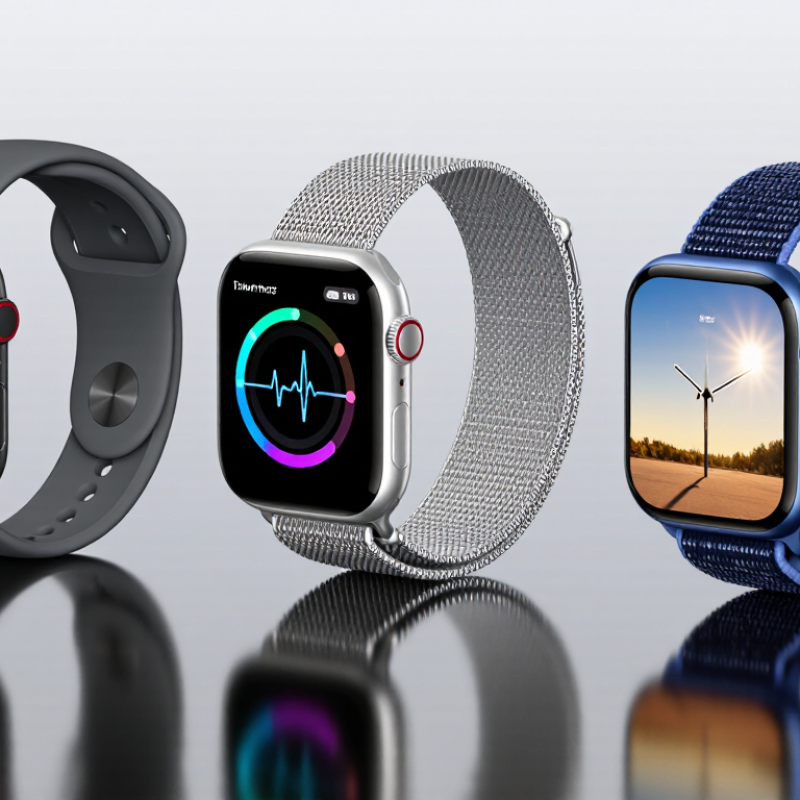
AMOLED screens create light at each pixel, so black areas can switch off instead of glowing. This gives watch faces deep contrast and crisp white text against dark backgrounds. Colors can look vivid, especially on a small screen viewed indoors. Yet vividness is not the same as accuracy. Color tuning varies, and bright outdoor light can still wash out details. Peak brightness, glass reflections, and automatic brightness control matter too. Battery use also depends on settings and content; a mostly black face may use less power than a bright, colorful one.
Grand View Research estimated the global AMOLED display market at 40.3 billion US dollars in 2022, and forecast 16.2% annual growth from 2023 to 2030. That figure covers more than watches, so it signals wider adoption, not proof that every AMOLED watch is better. When comparing displays, check sunlight readability, always-on mode behavior, and whether brightness can be adjusted quickly. Tiny text should remain legible at arm’s length. I would not judge from demo images alone; they can hide glare and oversaturated colors.
Tips: View the watch near a window, then dim it indoors. Test a dark face and a bright one. Check battery estimates with always-on mode enabled. Be skeptical of one perfect-looking screen.
A strong AMOLED watch display is more than a bright screen. Check peak brightness, black level, pixel density, color accuracy, and outdoor readability. VESA’s DisplayHDR True Black 500 specification uses a 500-nit peak and a 0.0005-nit black level as reference thresholds. These figures are useful context, not smartwatch requirements: small screens, sunlight, and battery limits change what feels comfortable. Contrast matters outdoors. A dark watch face should keep its blacks deep without burying fine gray details.
Resolution matters most when tiny text looks jagged at arm’s length. Compare pixel density, then inspect a map label or notification rather than relying on resolution alone. Color should look balanced, not overly saturated; skin tones and status colors are revealing checks. Refresh rate can make scrolling smoother, but always-on use and brightness may affect battery life. IEC 62341-6-2, an international OLED measurement standard, outlines methods for assessing optical performance. That is a better foundation than judging a display from a single marketing number. In person, tilt the watch under a bright window and look for fading, reflections, and uneven color. I would not treat peak brightness as the whole story; manufacturers’ test conditions can differ, and real-world visibility still needs a practical check.
An AMOLED smartwatch can make maps, workout stats, and message previews look crisp, even under indoor lighting. Its deep blacks also help watch faces feel clean rather than crowded. Outdoors, however, strong sunlight can expose a weakness: reflections may hide small text unless brightness rises. That extra brightness can drain the battery faster.
Battery life depends on more than screen technology. A bright always-on display, frequent GPS workouts, and constant heart-rate tracking all add power demands. For a fair comparison, check how long a watch lasts with the features you actually use, not only its lowest-power estimate. A weekend hike feels different from a quiet workday.
There is a trade-off. A dimmer screen may stretch runtime, but it can make quick glances less convenient. I would compare brightness controls, sleep tracking, and charging time alongside the display itself. Small details matter: can you read a pace split while moving, or must you stop and tilt your wrist? One caveat: battery results vary with settings, temperature, and signal quality. Real use is messy. A watch that needs charging every night may still suit someone who values a vivid screen, while a frequent traveler may prefer fewer charging stops.
AMOLED smartwatches suit different routines, so the best choice depends on how you use the screen. For everyday wear, look for clear text, adjustable brightness, and a display that stays readable outdoors. A quick glance at your wrist should show the time and a message without repeated tapping. Try the watch in a shop if possible; screen size can feel very different on your own wrist.
For exercise, prioritize visibility during movement and controls that work with sweaty fingers. A bright, high-contrast display helps when checking pace under midday sun, but it may use more battery. If you track long hikes or several days of activity, compare battery life with the display settings you actually plan to use. A small screen can also make detailed workout data harder to read. Annoying, but real.
For sleep tracking and daily health features, comfort matters as much as color or sharpness. A lighter case may feel less distracting overnight, while simple menus make routine checks easier. Check whether the watch supports the phone you own and whether key features require a subscription. Reviews can reveal useful patterns, though individual battery results vary with brightness, notifications, and workout use. There is no perfect pick; I would weigh comfort and readability before chasing the most vivid screen.
Best AMOLED smartwatch options depend on how you plan to use your watch.
Editorial fit scores from 0 to 10 reflect how strongly each display priority may suit a typical use case. They are guidance, not product measurements; compare specific models for brightness, battery life, and display features.
Choosing an AMOLED smartwatch starts with your daily routine, not the brightest specification. If you walk outdoors, check that the screen stays readable in direct sunlight. A vivid display can look impressive indoors yet become hard to read at noon. Compare screen size with your wrist, too; a large face may show more data but catch on sleeves. Small details matter.
Battery life deserves close attention. AMOLED screens can use more power when many pixels stay lit, so check independent reviews for results with always-on display enabled. That matters. Consider whether you need maps, message previews, workout metrics, or just the time and basic alerts. A crisp screen is less useful if frequent charging disrupts your routine. Check that the watch works with your phone, and review its water-resistance rating before swimming; ratings have limits and do not promise protection in every situation.
Health features need a practical check as well. Sensors can help you notice patterns, but readings may vary with fit, movement, and skin contact. Treat them as general information, not a diagnosis. I would not choose by resolution alone. Try the interface in a store if possible: tiny text, awkward menus, or reflections can make a premium-looking display tiring to use. The “best” choice is the one you can read comfortably and keep charged.
Each pixel creates its own light. Black pixels can switch off completely. This creates deep blacks and sharp white text.
Not always. Vivid colors may look attractive but oversaturated. Check skin tones, warning colors, and gray details in person.
Stand near a bright window or outside. Tilt the watch slightly. Check fading, reflections, and tiny text at arm’s length.
Usually, yes. Dark pixels often use less power than bright pixels. Brightness, notifications, refresh rate, and always-on mode also matter.
Compare battery estimates with always-on mode enabled. Test a dark face and a colorful face. Real battery life may disappoint.
No. Peak brightness helps, but glass reflections and automatic brightness also affect visibility. One impressive number proves very little.
Read a map label or notification from arm’s length. Look for jagged letters. Resolution alone can hide practical problems.
Choose strong contrast and quick brightness control. Buttons should respond with sweaty fingers. A bright screen helps outdoors but may drain power faster.
It can be, if the case feels light and comfortable. Simple menus help. The brightest, most colorful screen may not be the best overnight.
Match the screen to your routine. Compare comfort, sunlight readability, battery settings, phone support, and ongoing feature costs. There is no perfect choice.
Choosing the best AMOLED Display Smartwatch depends on how you balance screen quality, everyday features, and battery life. AMOLED technology produces rich colors, deep blacks, and strong contrast, making watch faces, notifications, and fitness data easy to read. When comparing models, consider brightness, resolution, viewing angles, touch responsiveness, and whether the display remains clear outdoors. These qualities can make a noticeable difference during both quick checks and longer interactions.
Display settings and usage affect how often a smartwatch needs charging. Always-on viewing, high brightness, and frequent notifications may use more power, while adjustable settings can help extend battery life. The right choice also depends on your priorities: fitness tracking, convenient daily tools, a compact design, or a vivid screen for general use. Compare comfort, essential features, display performance, and expected battery endurance, then choose an AMOLED Display Smartwatch that best fits your routine rather than focusing on screen specifications alone.